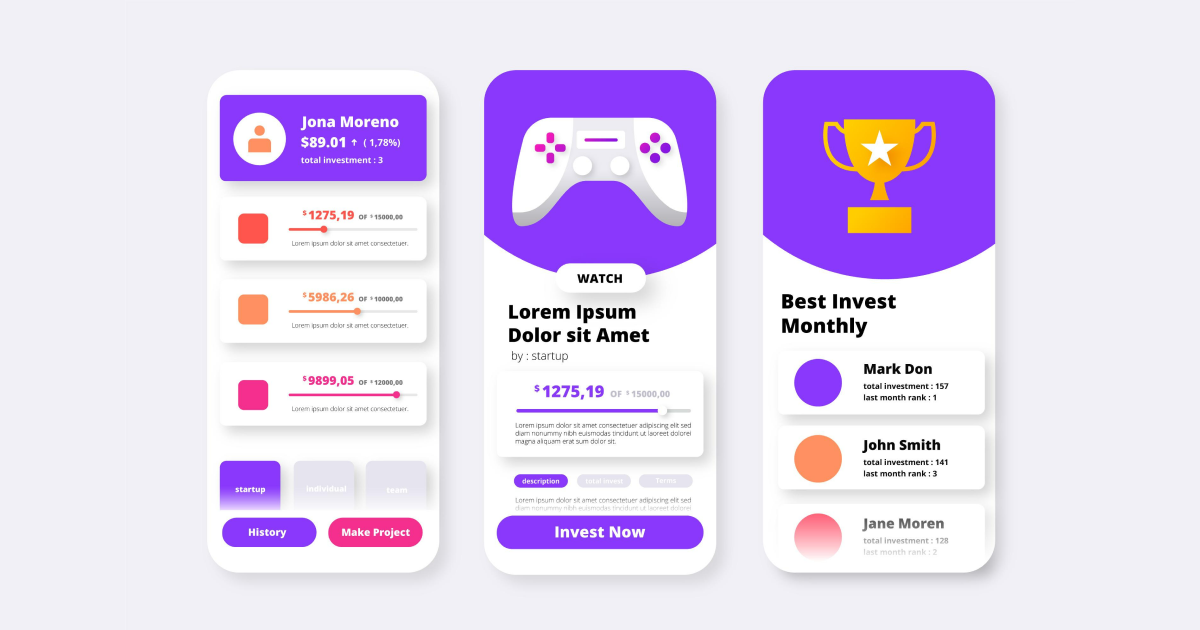
Probably the most common design strategy lately is the gamification approach, especially for digital products. Starting from fitness apps to productivity tools, the majority of interfaces now rely on points, progress bars, streaks, or even challenges to keep users engaged for as long as possible.
This approach, called gamification in UX design, promises brands a higher retention rate along with better user motivation.
Gamification is indeed truly powerful when used in the right context, but it does not always work as expected for some apps or websites. While some users are truly feeling motivated, some of them can feel pressured or even bored by the whole gamification design. To make sure you understand why exactly this difference exists, it’s important to look beyond visual elements and understand the psychology behind the gamification design.
What is Gamification?
Gamification is the use of game-like elements in non-game products. In most cases, these elements can include points, badges, achievements, or progress tracking.
However, the goal of the gamification design process is not to turn a specific app into a full-fledged game; instead, this approach is applied to make certain actions more engaging for its users. A common mistake in gamification in UX design is focusing only on surface features. Adding points or badges without a clear purpose will end up feeling empty.
When used correctly, gamification in UX design is able to support users' goals without distracting them from the initial action. When design gamification is used without understanding user behavior, it can quickly lose its impact.
The Core Psychological Principles Behind Gamification
- Progress, Goals, and Completion
Usually, people want to finish what they started, but when a website or an app doesn’t have the right design for them, they give up on it. This is exactly why some apps and websites consider it better to use gamification in the design process, because progress indicators are an effective way to keep users engaged.
- Social Influence and Comparison
Some gamification systems include leaderboards, rankings, or social sharing. These elements are perfect to use in social comparison to motivate users. It will automatically keep the attention of users longer, but will also attract other users to join your app or engage with your website.
Gamification in UX design uses feedback to reinforce behavior. When users complete a task or an action, they receive almost instant feedback, and in this way, the brain will release dopamine.
This creates a sense of progress and satisfaction. Many gamification examples rely on small, frequent feedback moments rather than large rewards.
40% OFF
Only this February
Upgrade to UI PRO version of Uinkits Systems to unlock 23.000 UI components.
Use the code "FEB40"
Why Does Gamification Sometimes Fail?
Even if it seems like a great approach, it does not work so great every time and in every situation.
Probably the most common mistake is the overuse of gamification in UX design. When every action is rewarded, rewards lose their meaning. Users may feel manipulated instead of motivated.
Another problem appears when gamification conflicts with user goals. For example, forcing streaks can create stress instead of encouragement. Leaderboards can push some users away if they feel they can never catch up.
Consider all these factors and motives when trying to create a gamification design for your website or app. This way, you will make sure, from the initial steps, that users will not feel rushed or pushed towards actions they don’t want to take.
How can you design a gamification in UX design that actually works?
Seems like a hard task, right? After all these details that need to be taken into consideration, it seems like the perfect gamification design doesn’t really exist.
But the truth is that effective gamification starts simply, directly from understanding users. Designers should ask what users are trying to achieve and what motivates them.
And the best advice here is to keep it simple yet attractive, because simplicity will always win over complexity. When a design is much more complex, there is a higher chance that users will give up on it.
Many successful gamification examples focus on clarity rather than fun. They guide users, reduce uncertainty, and create a sense of achievement without feeling childish or forced.
Lastly, always remember that gamification is not a magical solution, so it will not fix all your app or website problems instantly. It only works in the right context, and when it is used correctly with all the good principles for it.
When done right, design gamification feels natural. Users stay engaged not because they are being pushed, but because the experience makes sense. When gamification works, it does not feel like a game at all; it feels more like a burden for users.
uinkits – Our Figma Design System and UI Kits
We at uinkits understand the importance of great user experiences and creating amazing UI designs. That’s why we’ve developed a Figma UI Kit with design components that include these essential UI elements that enable you to design intuitive and user-friendly interfaces effortlessly.
“You press the button, we do the rest.” – Kodak.
Inspired by this iconic tagline from Kodak, we believe in simplifying the design process for you. Our Figma UI Kit, uinkits, is a complete design system with UI components that allows you, as a UI UX designer, to create your products as quickly as pressing a button.
Our design system includes UI components, icons, variables, cards, buttons and everything you need for your design process. All you have to do is take your UI design component needed, and you’re ready to use it in your designs!
By
Cristi Fonea
•
January 30, 2026