Imagine trying to sign up for an app, but the form is confusing, the instructions are unclear, or an error message leaves you wondering what went wrong.
Frustrating, right?
Even small issues like these can make users give up and look for an easier alternative.
These problems are known as UX pain points, and they can affect every stage of the user journey. Identifying them is the first step toward understanding what users struggle with and creating a smoother, more enjoyable experience.
What Are User Experience Pain Points?
User experience pain points are anything that makes it harder, more frustrating, or more time-consuming for people to achieve their goals when using a product or service.
They can appear at any stage of the user journey, from discovering a website to completing a purchase or trying to use a specific feature. Some common examples include usability issues, such as confusing navigation or unclear buttons; performance problems, like slow loading times; accessibility barriers that make a product difficult to use; and communication issues, such as vague instructions or missing information.
While these problems might seem minor on their own, they can quickly add up and make the overall experience frustrating.
How to Identify UX Pain Points: 5 Practical Methods
Figuring out where users struggle isn't always straightforward. Sometimes, people can explain what's frustrating them, while other times, the problem becomes clear only when you observe how they use a product. Here are five ways to identify UX pain points.
- Conduct User Interviews and Surveys
Talk to users about their experiences, expectations, and frustrations. Ask open-ended questions like, "What was the most frustrating part of completing this task?" Interviews help you understand the reasons behind their struggles, while surveys can reveal recurring issues across a larger group.
- Observe Users During Usability Testing
Ask participants to complete everyday tasks using your product and watch how they interact with it. Hesitation, repeated clicks, mistakes, or requests for help can reveal problems they might not mention themselves.
40% OFF
Only this February
Upgrade to UI PRO version of Uinkits Systems to unlock 23.000 UI components.
Use the code "FEB40"
- Analyze Website and Product Analytics
Metrics such as bounce rates, conversion rates, and task completion rates can show where users leave or struggle. However, numbers alone rarely explain why a problem occurs, so combine analytics with user research.
- Review Customer Feedback and Support Requests
Check reviews, support tickets, and feedback forms for recurring complaints. If several users struggle to find a feature or complete checkout, it could point to a broader usability issue.
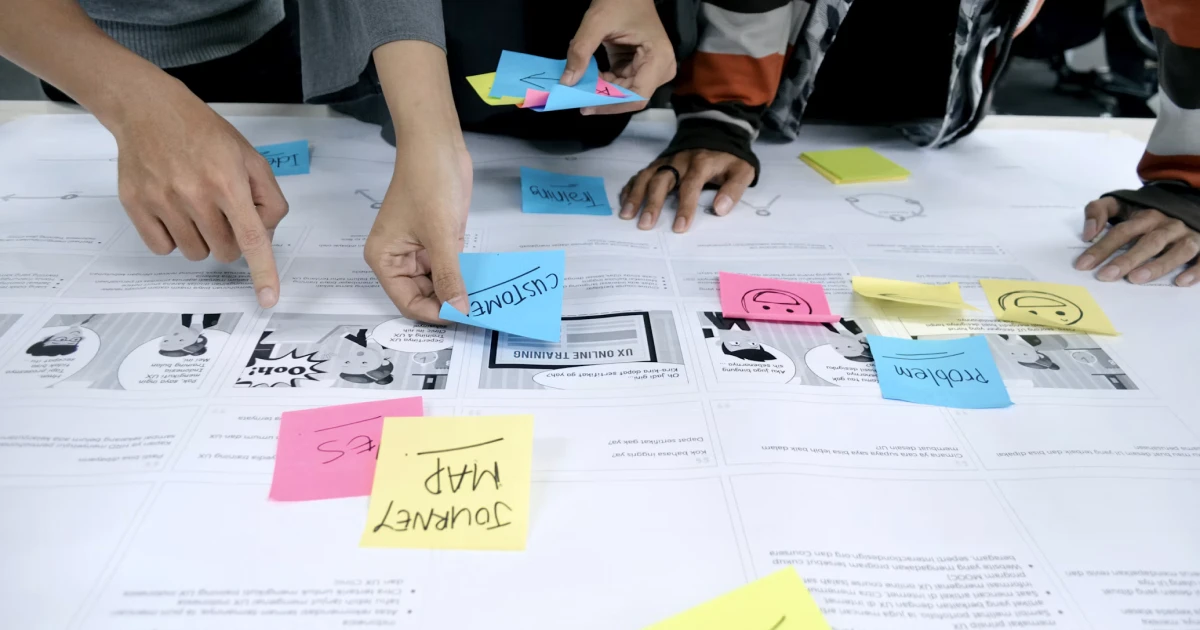
Break the experience into stages, from the first interaction to completing a goal. Look for unnecessary steps, confusing information, or obstacles that make the journey harder. This helps you understand how individual problems affect the overall experience.
How to Prioritize UX Pain Points
Once you've identified UX pain points, decide which ones to fix first. Not every issue needs immediate attention, so focus on the ones that affect users most.
Consider how often the problem occurs, how seriously it affects users' ability to complete a task, and whether it leads to errors, abandoned journeys, or lost conversions. You should also consider how much time and effort a solution would require.
For example, a broken checkout button should take priority over a minor visual inconsistency because it prevents users from completing a purchase. Prioritizing issues helps teams focus their time on improvements that make the biggest difference.
Common Mistakes to Avoid When Identifying UX Pain Points
Identifying UX pain points is not just about spotting problems. It's also about understanding them correctly. One common mistake is relying on assumptions instead of validating ideas with real user feedback.
It's also easy to focus too much on one complaint, even when it doesn't reflect a widespread issue. Another mistake is prioritizing visual design while overlooking confusing navigation or usability problems.
Finally, trying to fix everything at once can waste time and resources. Instead, focus on the issues that matter most to users and your business. Remember, good UX requires continuous research, testing, and improvement, not just a one-time check.
Better UX Starts with Understanding Users
Identifying UX pain points takes a combination of user research, observation, analytics, and feedback. The goal isn't to eliminate every small inconvenience, but to understand which problems matter most and how they affect the user experience.
By listening to users, testing possible solutions, and making improvements based on real feedback, designers can create products that are easier and more enjoyable to use. After all, better UX starts with understanding people.
uinkits – Our Figma Design System and UI Kits
We at uinkits understand the importance of inputs in great user experiences and creating amazing UI designs. That’s why we’ve developed a Figma UI Kit with design components that include these essential UI elements that enable you to design intuitive and user-friendly interfaces effortlessly.
“You press the button, we do the rest,” – Kodak.
Inspired by this iconic tagline from Kodak, we believe in simplifying the design process for you. Our Figma UI Kit, uinkits, is a complete design system with UI components that allows you, as a UI UX designer, to create your products as quickly as pressing a button.
Our design system includes components, icons, variables, cards, buttons, and everything you need for your design process. All you have to do is take your UI design component needed, and you’re ready to use it in your designs!
By
Cristi Fonea
•
October 14, 2026