UX design is more than just deciding what a screen should look like. Before starting to think about colors, buttons, and every other visual detail, most designers need to think about how users interact with a product.
This is where user flows and wireframes come in. While a user flow focuses on the journey a user takes to reach a goal, a wireframe focuses on the structure and layout of the screens along the way.
So, when it comes to user flow vs wireframe, it’s not really about choosing one over the other. Both tools help designers build a clearer, more intentional user experience.
What is a user flow?
Simply explained, it is more of a visual map of the steps that a user takes in order to complete a task.
Let’s take the example of a user who buys a product. The first thing that a user does is to open the website and search for a product. After that, the user views the product page, adds it to the cart, and checks out.
This is a simple user journey if you think about it, but actually, how long does it take for a designer to map this perfect journey in order to make sure that users actually have a smooth experience?
By mapping the journey, a designer can observe the unnecessary steps. The focus is not on how the interface looks, but on the user’s actions, decisions, and overall journey.
What is a Wireframe?
Now that we’ve talked about what a user flow is, we also need to understand what a wireframe is before diving more into the article.
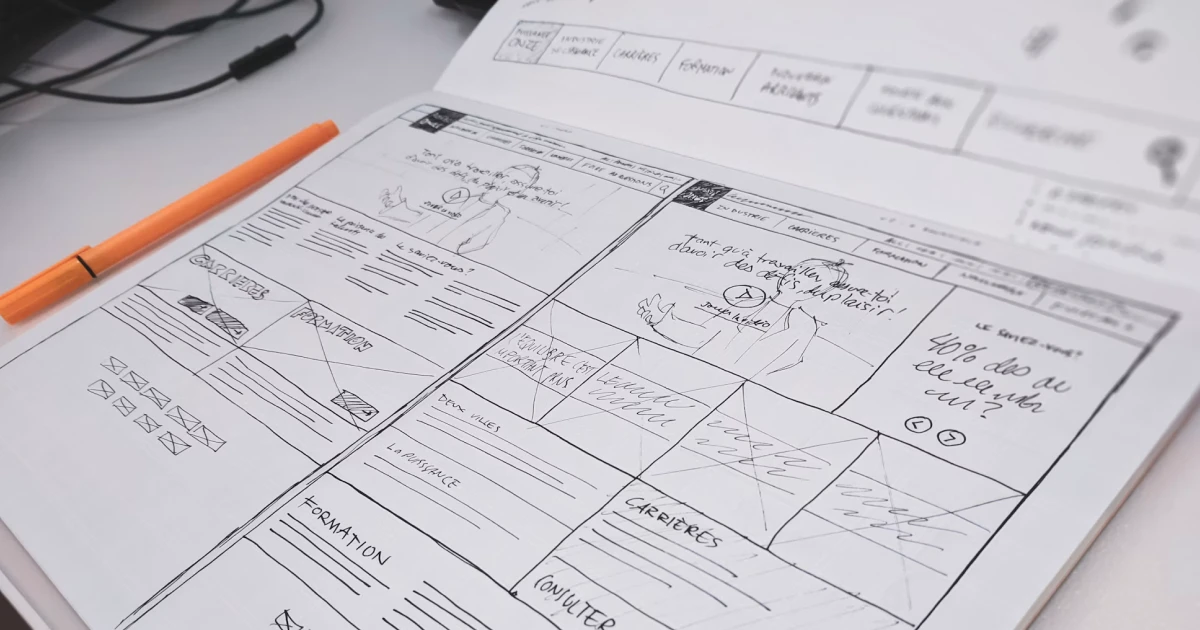
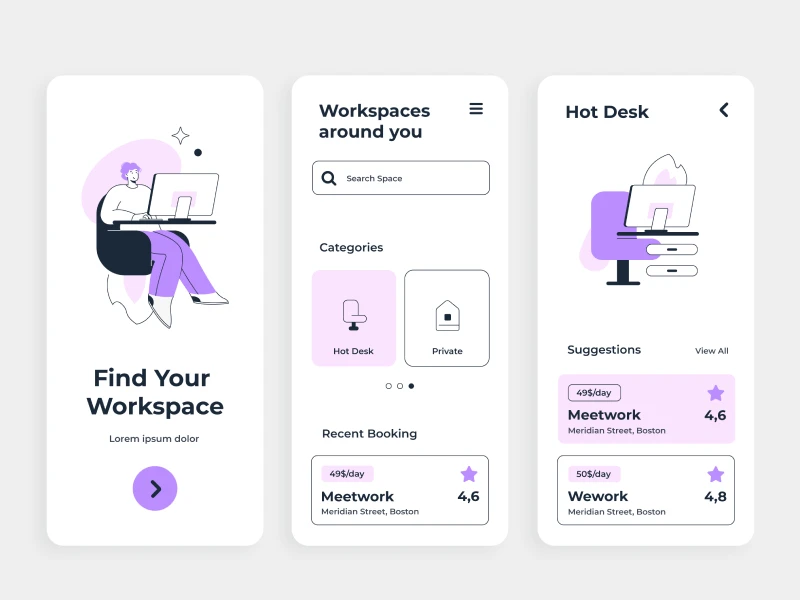
To put it simply, a wireframe is the blueprint of a digital screen because it shows where the important elements should go. Think about a structure that shows where the navigation buttons, images, and the content will go on the website or app.
Okay, but why do I need a wireframe? Because I know all of these, right? But wireframes help designers focus on the structure and hierarchy before creating the other visual elements.
Low-fidelity wireframes are usually quick and minimal, while high-fidelity wireframes include more detail and look closer to the final interface. Regardless of the level of detail, the goal is the same: to explore and communicate how a screen should work before moving into visual design.
40% OFF
Only this February
Upgrade to UI PRO version of Uinkits Systems to unlock 23.000 UI components.
Use the code "FEB40"
User flow vs Wireframe
When comparing user flow vs wireframe, it is hard to understand the difference. On one side, a user flow shows the user’s journey: what steps it takes and what decisions they make.
But on the other hand, a wireframe focuses on the individual screens integrated into that journey and shows what each one of the screens needs to contain.
User flows can help uncover confusing navigation or unnecessary steps, while wireframes help designers organize content, functionality, and hierarchy.
It’s important to mention that these tools are not competing with each other, because they both work together to make a smoother experience for users.
When should you create a user flow?
A user flow is significantly important in the early stages of UX planning, even before the designer wants to start working on more detailed elements. Think about experiences such as onboarding, registration, checkout, or booking. Mapping these journeys first makes it easier to see how different decisions can change what happens next.
It can also reveal unnecessary steps, confusing navigation, or gaps in the experience before they become bigger design problems.
When should you create wireframes?
Wireframes are usually created after you make the user journey very clear. Wireframes help to establish a clear hierarchy of the elements along with a navigation plan.
They also come in handy to communicate ideas with developers and stakeholders and get feedback early.
Wireframes don’t have to stay the same throughout the project. They can become more detailed as the design takes shape.
On the one hand, simple wireframes work well when you’re still exploring ideas, while high-fidelity wireframes can be useful when you need a closer representation of the final interface.
How do user flows and wireframes work together for the best design?
It’s true that on their own, they're great in design, but when used together, they can make the whole process much easier and enjoyable, because you know what to focus on.
Instead of choosing one over the other, designers can use them at different points in the process: User goal → User flow → Wireframes → Visual design → Prototype/testing.
The wireframes then help define what happens on each screen. For example, a checkout flow might include cart, shipping, payment, and confirmation.
So, the flow maps these steps, while the wireframes determine what each screen should include.
This approach can also prevent a common UX mistake: jumping straight into screen design. A polished checkout page won’t fix an experience that has too many unnecessary steps or a confusing path to purchase.
uinkits – Our Figma Design System and UI Kits
We at uinkits understand the importance of inputs in great user experiences and creating amazing UI designs. That’s why we’ve developed a Figma UI Kit with design components that include these essential UI elements that enable you to design intuitive and user-friendly interfaces effortlessly.
“You press the button, we do the rest,” – Kodak.
Inspired by this iconic tagline from Kodak, we believe in simplifying the design process for you. Our Figma UI Kit, uinkits, is a complete design system with UI components that allows you, as a UI UX designer, to create your products as quickly as pressing a button.
Our design system includes components, icons, variables, cards, buttons, and everything you need for your design process. All you have to do is take your UI design component needed, and you’re ready to use it in your designs!
By
Cristi Fonea
•
October 23, 2026